
Security Fundamentals (OpSec)
Hello, dear readers! In this article, I’ve compiled the key principles of digital hygiene. This information will be useful to anyone who values freedom, likes to keep secrets, or is involved in questionable activities.
Key Concepts
Privacy – the ability to control who has access to your information. For example: encrypting correspondence.
Anonymity — the inability to identify you based on your actions or data. For example: using Tor.
Plausible Deniability - the ability to deny involvement in or knowledge of something in a way that sounds plausible. Example: you encrypted your messages (with self-destruct) and used Tor.
Security - when nothing you use has been compromised.
0day - a vulnerability that allows unauthorized access.
Centralization - when everything is tied to a single company.
Federation – when everything is largely tied to a single company, but there are also small independent groups.
Decentralization – when there are many independent entities.
What is an “attack surface”?
 Your “attack surface” is the target at which an attacker throws darts.
- Confidentiality is about making this target as small as possible,
- anonymity is about hiding the target among as many other targets as possible,
- and deniability is about ensuring the attacker cannot prove the existence of this target.
Imagine a situation where you’re teaching a friend how to use Monero, and we’re in a future where such an action is considered illegal. What would law enforcement need to arrest you for this?
Separating Internet Usage
It is important to keep your online activities separate. No technology can protect you if you do not separate your work and personal life. You should not log into your public social media accounts from a sensitive system, just as you should not visit a forum from a public system.
Types of usage — there are public, private, anonymous, and sensitive.
Identity management — separating identities for different web resources.
OS Configuration
To make it easier to separate activities, it is best to use a separate device with virtual machines (one for each activity). However, the configuration below is suitable for any budget.
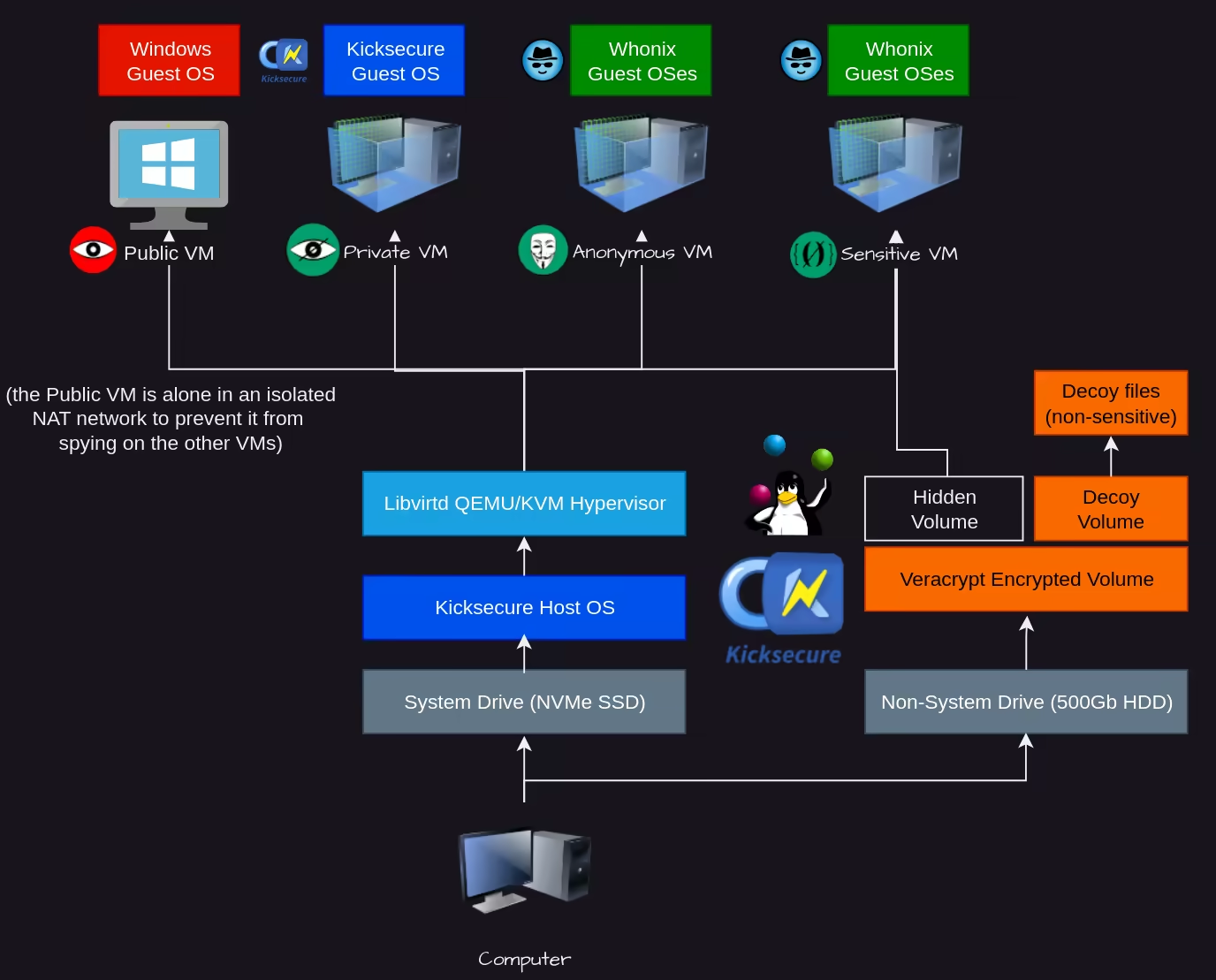
In QubesOS, all of this is already configured for you, but it isn’t as convenient or flexible for long-term use. There is no RAM wipe or one-time mode. The developers themselves state that the system is optimized for security, not anonymity.
Hardware Selection
Unfortunately, at this point, virtually all components of any device are proprietary, which means we can’t transparently see how the HDMI port, motherboard, SSD, processor, microphone, etc., actually work. But here are a few general tips on how to make the most of what’s currently available.
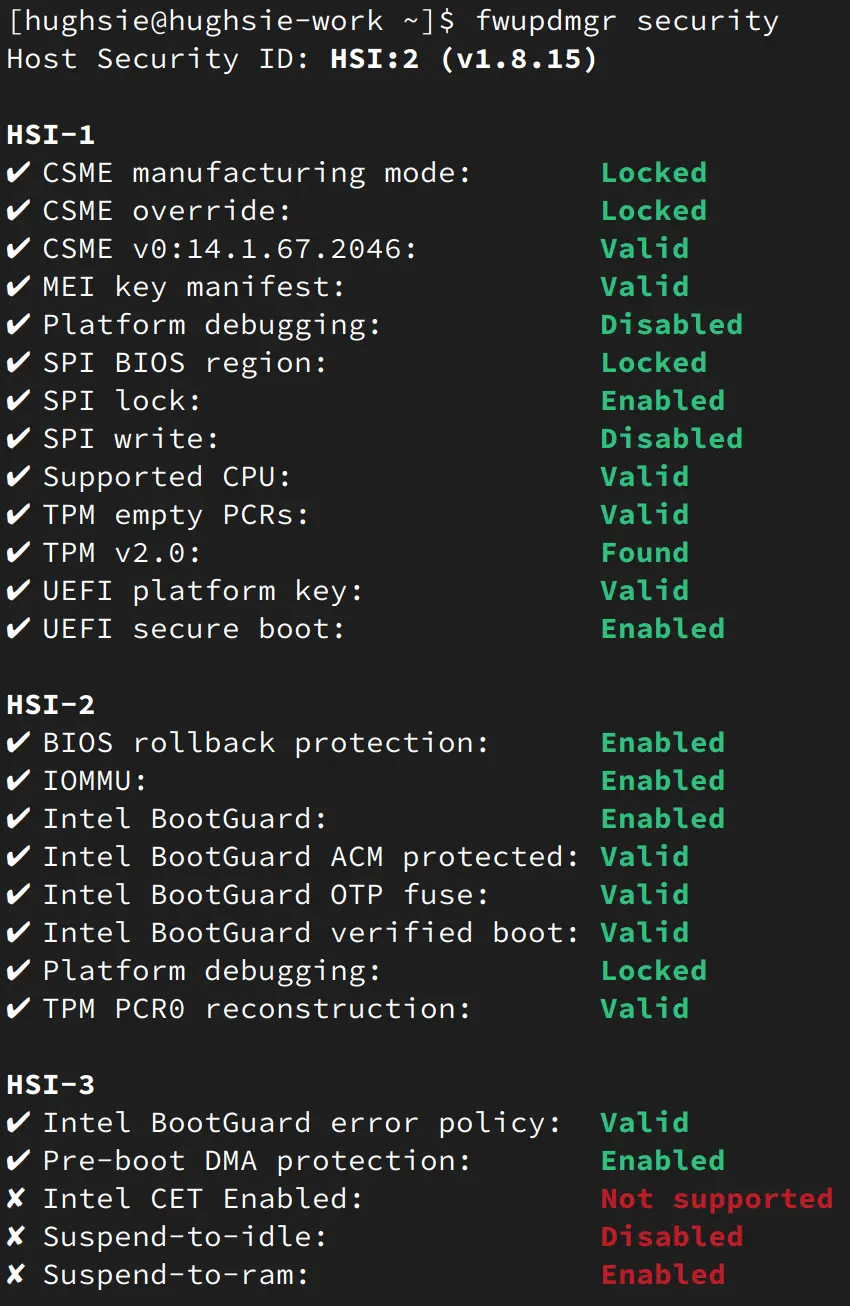
HSI - Host Security ID. This is a handy security rating that fwupd assigns to your system, where 3 is a normal level of protection and 5 is currently unattainable. It takes into account the most important factors, such as:
- Secure Boot
- TPM
- SPI protection
- Debug mode verification
- Firmware rollback capability
- Detailed RAM information
- Kernel security
Currently, there are 3 architectures:
- AMD (partially closed-source)
- Intel (closed-source)
- RISC-V (open-source)
You can build a laptop or PC based on any of these. In any case, you will have to use closed-source components, which is not ideal, as vulnerabilities are constantly discovered in them that are typically not fixed.
BIOS / UEFI - Coreboot is available, which allows you to make your device's software more open-source. Check which motherboards are supported, and choose those whenever possible.
Network adapter - it’s best to buy something from the Atheros family. Many of them work right out of the box with free Linux drivers. For some configurations, a simple LAN connection is better.
You should get rid of:
- the microphone
- the webcam
- the sound card
- Bluetooth.
As for the mouse and keyboard, use wired ones and the simplest models available.
IoT—smart devices simplify our lives, but they also make us more vulnerable. Networks constantly interact and analyze data. Whenever possible, minimize the number of devices collecting data about you; for example, Alexa constantly records and analyzes your words, just like your phones do. Smartwatches transmit information about your location, heart rate, sleep, and activity levels. Headphones transmit your geolocation data and listening time. And you don’t even need to be connected to the network for your identity to be revealed; some smart devices simply have a unique fingerprint, and surrounding networks track their movements.
A device may be considered high-risk if it has any of the following:
- GPS
- Microphone
- Camera
- Bluetooth
- Wi-Fi
- Cellular modem
- Cloud synchronization
- Companion phone app
- Motion sensors
- Health sensors
Network
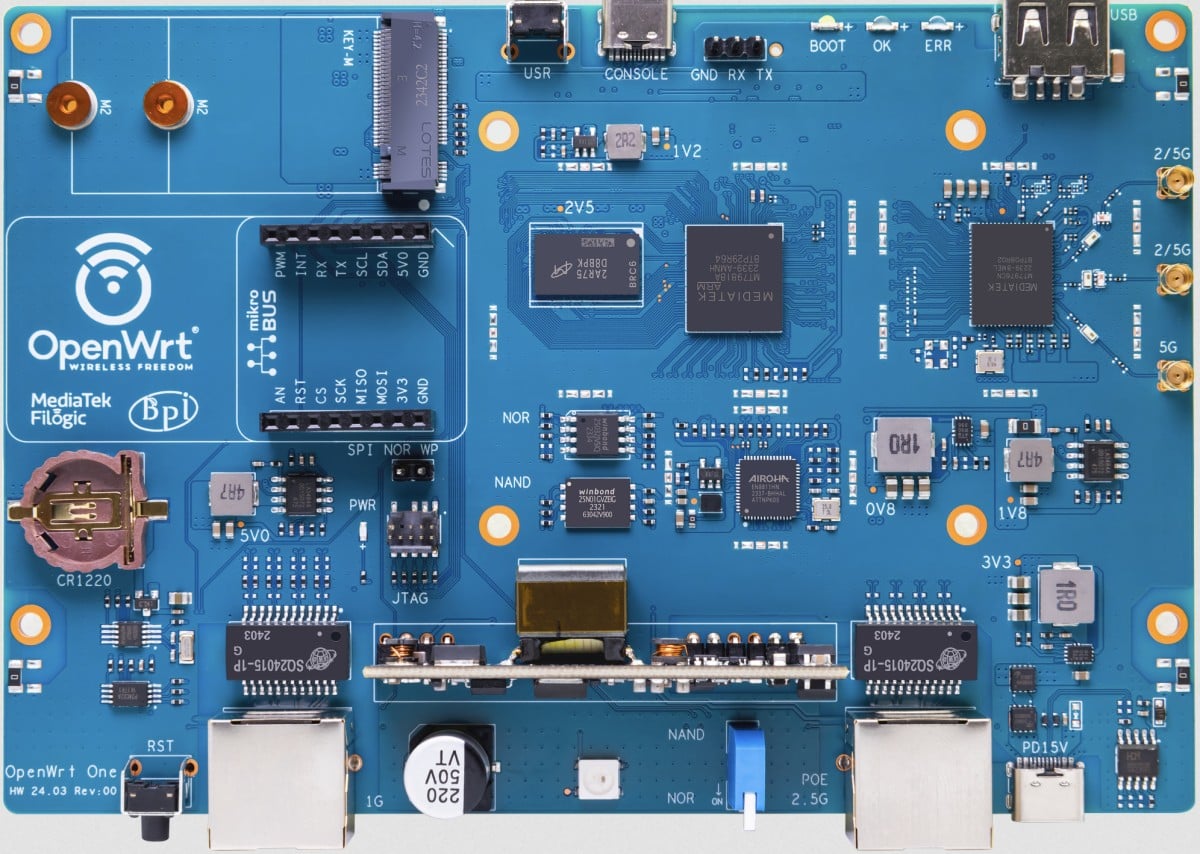 OpenWrt router - It is much easier for ISPs to track traffic by analyzing it through the modem they provide you. To avoid this, we set up our own router to gain control over the segment between their network and our local network.
This will help prevent the ISP from tracking at least the following data:
OpenWrt router - It is much easier for ISPs to track traffic by analyzing it through the modem they provide you. To avoid this, we set up our own router to gain control over the segment between their network and our local network.
This will help prevent the ISP from tracking at least the following data:
- The MAC address of every device on the local network
- Device names
- The number of connections and disconnections
- Which MAC address corresponds to which IP address on the local network
Here you can see a list of devices supported by this free software: https://openwrt.org/supported_devices After installation, connect it to your router via LAN and review the settings. I do not recommend enabling SSH. Pay special attention to the Zones tab (https://openwrt.org/docs/guide-user/firewall/start)
Tor is blocked in some countries, and if we cannot connect to the Internet anonymously (for example, via satellite), we must use v2ray. Install one of the following clients on your device:
- Android - v2rayNG, Nekobox
- Linux - Nekoray, v2rayN, v2rayA, Furious
- Windows - HiddifyN, v2rayN
Purchase a VPS by paying for it with XMR via an anonymous email address. A list of such services can be found on the Kycnot.me website.
Install one of the following control panels on the server:
- 3x-ui
- Marzban
- Hiddify Manager
- Remnawave
- S-UI
But if the traffic is high, it will be noticed quickly. That’s why methods like Domain Fronting are used. To do this, you can register a free account on Fastly, create a new CDN service, disable TLS in it, and enable WebSockets. Create a VCL fragment:
if (req.http.Upgrade) {
return (upgrade);
}
Establish a connection.
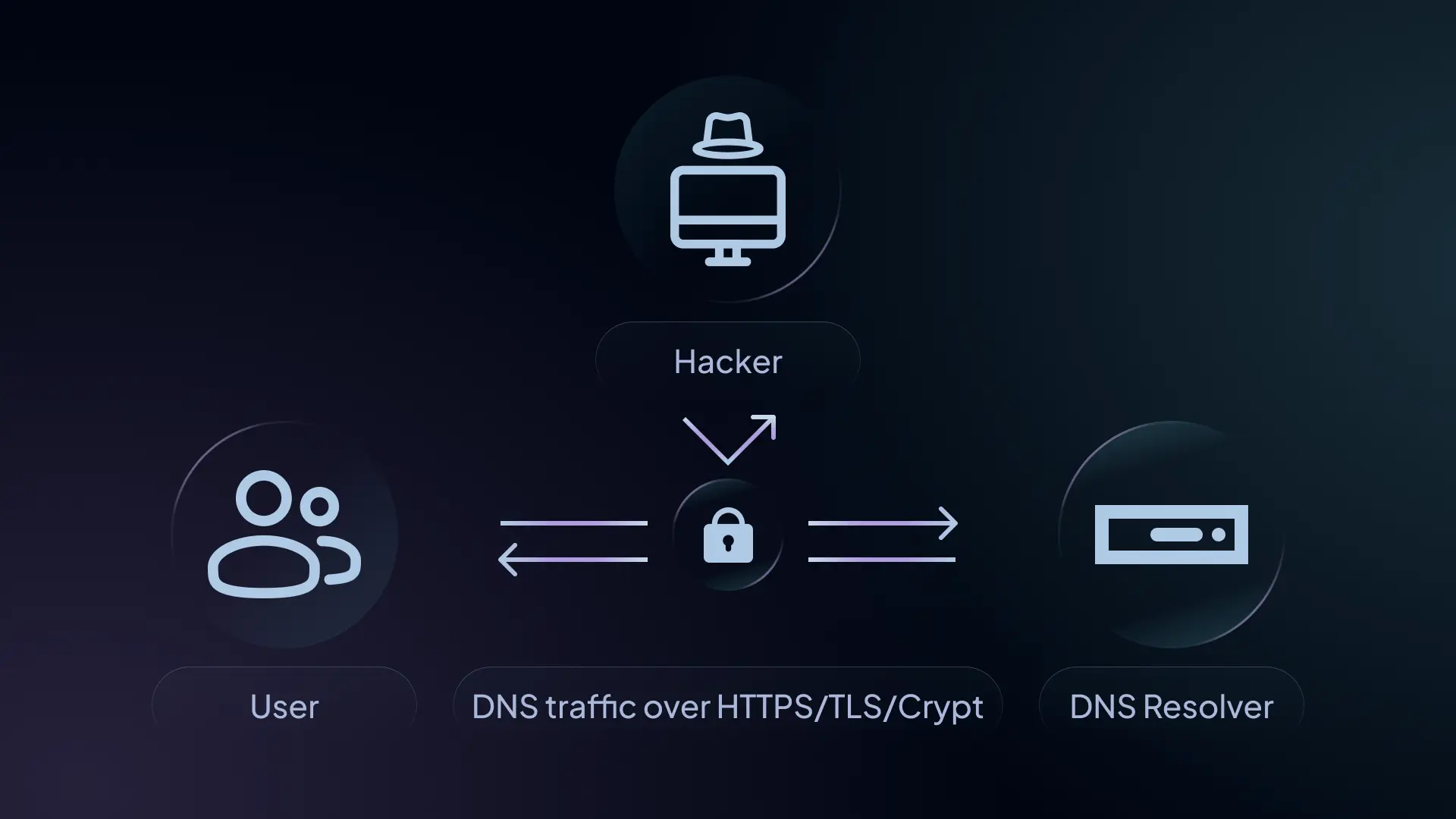
DNS - is used to convert domain names into IP addresses. It is an outdated protocol that does not support encryption, allowing third parties (such as internet service providers) to track your DNS requests and, if they wish, intercept them. Here are three solutions to this problem:
- DoH - DNS over HTTPS (looks like regular HTTPS traffic to a tracker)
- DNSCrypt (looks strange to a spy)
- DoT - DNS over Tor (DNS passes through Tor; the exit node sees the requests)
Software
 Try to use only open-source applications. I also recommend compiling each application yourself. On GitHub, 99% of popular applications come with simple instructions on how to easily build them yourself. This way, you’ll protect yourself from pre-built binaries that may contain spyware.
On this site, you can check how anonymous your applications are - spywareitdaiuyfo2sqb5vsg7mek5cjabdr73luhnda57t2hyuzg7yyd.onion
Try to use only open-source applications. I also recommend compiling each application yourself. On GitHub, 99% of popular applications come with simple instructions on how to easily build them yourself. This way, you’ll protect yourself from pre-built binaries that may contain spyware.
On this site, you can check how anonymous your applications are - spywareitdaiuyfo2sqb5vsg7mek5cjabdr73luhnda57t2hyuzg7yyd.onion
Verify the file's integrity to ensure it wasn't corrupted or tampered with during transmission.
grep -F ‘ubuntu.iso’ SHA256SUMS.txt | sha256sum -c -Verify the file's authenticity to ensure it is genuine. (Signature verification)
File Transfer
Small files are transferred using OnionShare Large files are transferred via Syncthing Both applications are intuitive and widely used.
How to store passwords
 You should use unique, long passwords for each service, because if one site is hacked, the hacker will learn your password and be able to use brute force to gain access to your other accounts.
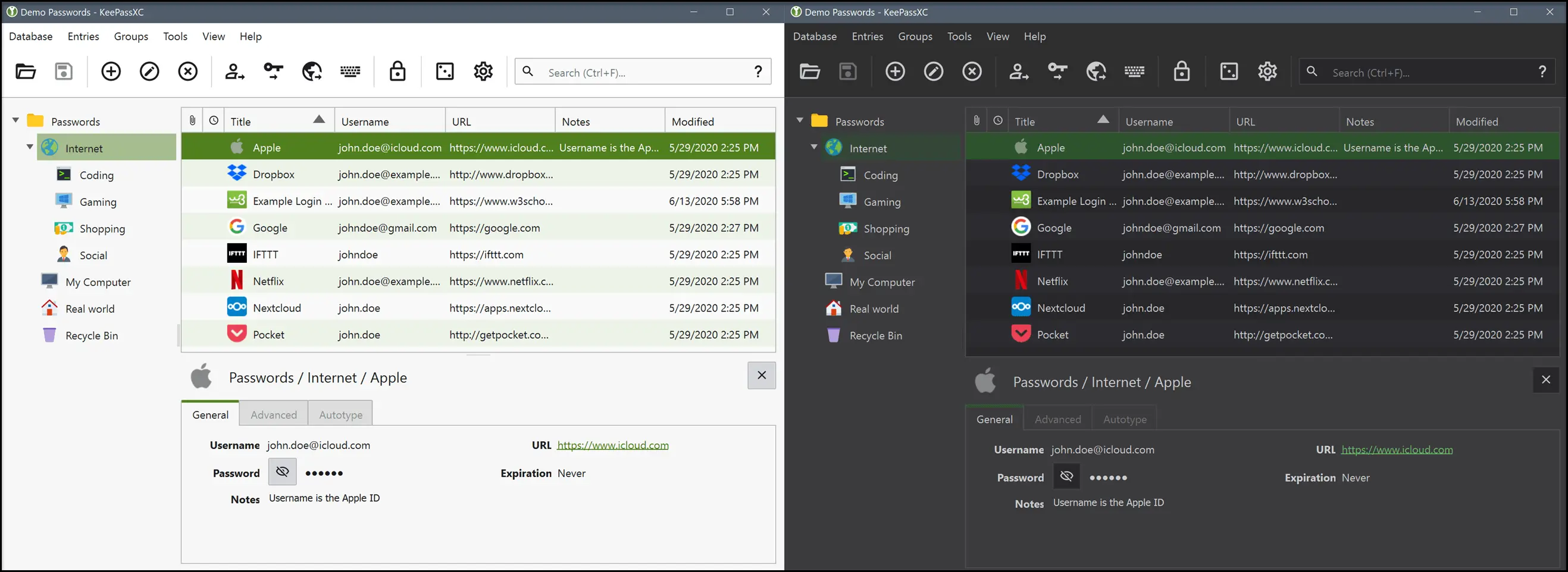
It’s impossible to remember all your passwords, so it’s best to use a single password manager and store all your passwords in the open-source KeePass application:
You should use unique, long passwords for each service, because if one site is hacked, the hacker will learn your password and be able to use brute force to gain access to your other accounts.
It’s impossible to remember all your passwords, so it’s best to use a single password manager and store all your passwords in the open-source KeePass application:
- Use different passwords for each account, preferably of varying lengths (this is important for maintaining anonymity).
- Create a separate KeePass file for each virtual machine
- Familiarize yourself thoroughly with the app’s features and try to make it as secure as possible.
Why Phone Numbers Are Incompatible with Anonymity
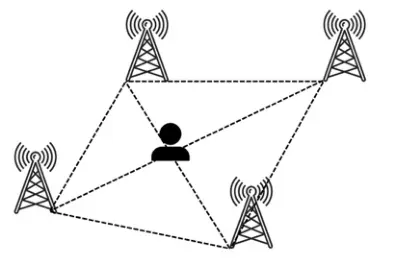 Law enforcement agencies have access to the complete location history of any SIM card—both past and present—with an accuracy of a few meters.
The only way to use a SIM card anonymously is to use a SaaS provider that does not require KYC verification and accepts payment in Monero.
Law enforcement agencies have access to the complete location history of any SIM card—both past and present—with an accuracy of a few meters.
The only way to use a SIM card anonymously is to use a SaaS provider that does not require KYC verification and accepts payment in Monero.
Communication
 Chats - Based on the information we’ve gathered so far, we understand that we need to use Tor and encrypt our messages. We choose a communication method depending on the specific task. For many tasks, Simplex is currently the simplest option. It is a fully open-source project; you can set up your own server, messages are encrypted using E2EE, you can disable chat logging, and no personal data is required for registration.
Good options:
Chats - Based on the information we’ve gathered so far, we understand that we need to use Tor and encrypt our messages. We choose a communication method depending on the specific task. For many tasks, Simplex is currently the simplest option. It is a fully open-source project; you can set up your own server, messages are encrypted using E2EE, you can disable chat logging, and no personal data is required for registration.
Good options:
- Jabber
- Tox (the other person can see your IP)
Do not trust server-side encryption—for such cases, there is a simple PGP encryption method. To use it, you need to share your public key with the other person; they send you a message encrypted with that key, and now only you can decrypt it, while the server will only see the encrypted text.
Graphical user interface applications:
- Kleopatra
- Seahorse (Passwords and Keys)
- GpgFrontend
Stylometry - the analysis of writing style to determine the author’s identity. How to reduce risks:
- Vary your writing style, sentence structure, and vocabulary, or use a local LLM to rework messages before sending them.
- Try to avoid using distinctive punctuation or spelling patterns.
- Use paraphrasing tools or AI assistants to diversify your writing style.
Metadata
 Key metadata characteristics:
- Who (ID, email address, password, username, IP address)
- When (time of day, session duration)
- Where (geolocation, IP address)
- How (OS, app version, device type)
- Size (message length, files)
Regardless of the tools you use, various parties will collect data about your network activity. All internet data is sent in packets. Your internet service provider can see the size, time, and destination address of each packet, even if the data is encrypted. Every website has a unique pattern of packets sent to and from it, which can be identified using artificial intelligence. This means that even if the data is encrypted, they can determine with a high degree of accuracy which sites you visited and when. To counter this, you need to combine various methods of anonymizing your traffic.
Cell towers provide precise information about who made each call, when, and from where. Unlike networks or other platforms, the identity of every connected phone is known, and its location can be determined through triangulation via cell towers. This metadata is sufficient for complete de-anonymization and tracking of most activities. Simply put, anonymity is incompatible with cell towers, and they should be avoided entirely.
Fingerprints — when interacting with websites, your browser provides certain data that is unique and allows you to be identified. You can see examples of your data on these sites: deviceinfo.me, coveryourtracks.eff.org, tb-fingerprinting.tiiny.site. This is why you should use the Tor browser or Librewolf, as they make many of these indicators identical, but you still need to vary your activity to cover your tracks.
File Data - All files contain metadata, but some of them store important information, such as documents or images. To address this, you need to use the exiftool utility.
Image Data - In addition to EXIF data, images can reveal your identity in the following ways:
- through shadows, which can help determine the time of day (bellingcat.com/resources/2021/05/18/unsure-when-a-video-or-photo-was-taken-how-to-tell-by-measuring-the-length-of-shadows)
- perspective to determine distance (bellingcat.com/resources/2023/09/07/measuring-up-how-to-calculate-the-size-of-objects-in-open-source-material)
- brute-force method after narrowing the search area (youtube.com/watch?v=cMsaj4SSwCw)
- Examining the natural surroundings or other details to determine the location
- Using already known information, such as time zones or regions
- Geospatial analysis, both using artificial intelligence and manually. Essentially, almost every location has distinctive features, and most images can be traced back almost to their source. It is safest not to post images during activities that are critical from an anonymity standpoint.
Schedule - Your two identities can be linked based on overlapping periods of activity. This applies to forum posts, account logins, Git commits, tweets, and any form of interaction. Using all this collected metadata, your schedule can be matched to an anonymous identity.
Text - Our written and spoken language is unique and often reveals information about us. Who you are, your interests and skills, and even the content you consume—all of this can be determined from your language and interpreted using stylometry (statistical analysis of written language). In particular, the way we speak and write—for example, word choice, slang, grammar, references, speech patterns, and much more—all reveal information.
Let’s look at a few examples:
- If your forum posts use certain slang, an attacker can roughly estimate your age, which amounts to 2–3 bits of information.
- If your texts are consistently highly technical and contain references and phrasing characteristic of a specific field, an attacker can roughly guess your profession, level of knowledge, and skills, which could amount to more than 10 bits of information.
- Metaphors, word choice, or the use of multiple languages can reveal your ethnicity, location, or the content you’ve read.
Physical Appearance - Your physical characteristics are unique and can be exploited by an attacker depending on the information they have. If an attacker knows what you look like and the region or city where you live, they can use brute-force methods to identify you, depending on the resources at their disposal. For example, it is much easier to find a person if their height and hair color are known, along with basic information about them. Information leaks usually occur only through written or verbal communications, and this can be avoided by not discussing or mentioning physical characteristics.
Social profile—information about who you interact with—is one of the most frequently collected elements of behavioral metadata by attackers and is extremely useful. From cell tower call logs to IP addresses, information about who communicated with whom is constantly being stored. Even most messaging apps, despite using encryption, allow metadata leaks about who is communicating with whom. When an attacker finds out who you’re connected to, all information about that person becomes relevant for building your profile. Here’s a simple example: Upon seeing that you previously communicated publicly with Alice, the attacker begins investigating her. They find a public forum and then your account with the same anonymous username on that forum, which gives them additional data (your forum posts) for de-anonymization.
Finance
 The main goal of cryptocurrency is to replace fiat currency.
Monero is a truly anonymous cryptocurrency, unlike many others. Monero’s stealth addresses automatically generate one-time addresses for each transaction, making it impossible to track a wallet’s transaction history. Ring signatures create a group of cryptographic signatures that includes at least one real participant, but it is impossible to identify the actual sender. RingCT technology hides the amount spent in each transaction. Since it is impossible to track the details of Monero transactions, one Monero is effectively equal to another and is completely fungible.
DEX Exchanges — do not entrust your data to questionable operators and do not undergo the KYC process on centralized exchanges. Currently, there is the Haveno platform—an open-source platform designed for exchanging Monero for fiat currencies (such as USD, EUR, and GBP) or other cryptocurrencies (e.g., BTC, ETH, and BCH). Use at your own risk
Self-Hosted
 If you are a developer or have developers on your team, you should stop using GitHub and GitLab, as they are not concerned with your privacy or anonymity. A good open-source alternative is Forgejo.
Deniability
 You must use the system in Live mode; otherwise, all logs of your activity are stored on your hard drive, where they can be analyzed at any time. With RAM, it’s more complicated, especially if it’s encrypted.
Where to store Monero - in the official app and use it only when connected to a trusted node (your own). You can store your seed phrase in Keepass, for example, on a secure virtual machine. Keep no more than $9,999 in other wallets; otherwise, the police can legally seize them from you.
Hiding data in images - you can use the steghide app for this. The image must be 20 times larger than the file you want to hide.
Hiding a file:
steghide embed -cf _coverfile_ -ef _embedfile_ -sf _destination_Reading a file:
steghide embed -sf _input_Notes:
- Use strong passwords
- Use unique images
- Avoid images with fine details
- Avoid making any changes to the files, otherwise the data will be lost.
Hiding archives in videos - can be done using zulucrypt-gui. The advantage of this method is that you can deny the existence of the archive if no one can find the original.
High availability - If you have a service, it must run 24/7. When an attacker wants to obtain information, such as the physical location of a hidden service, they will use downtime as an indicator to gradually narrow down the range of potential locations until they can take decisive action against the remaining suspects.
Power Outages - An attacker may instruct your power provider to temporarily cut off the power supply to test whether they can take down a specific website or individual. Your hidden service running at home must remain accessible even without a connection to the main power grid, using a generator.
Community Support
 Run a Tor node for free, thereby contributing to the decentralization of the Tor network. Avoid running Tor nodes in Germany or the Netherlands, as there are a disproportionately high number of them there.
Mine Monero—this way, you help protect the currency from 51% attacks and earn a commission. You can run it on any device with a processor.
Set up Simplex servers and configure them to work exclusively with the Onion network. This will enhance your security and allow you to communicate with other users.
Thank you for reading this article. You’ve likely learned something new and useful.